
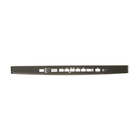
General Electric WD34X21699 Dishwasher Control Panel
$71.23
Price reduced from
$78.95
More Information:
This Part Fits the Following Models
25 models
GDT635HMJ2ES
GDT695SSJ4SS
GDT655SSJ5SS
GDT695SSJ0SS
GDT655SMJ0ES
GDT655SSJ4SS
GDP695SSM5SS
GDT635HMJ4ES
GDP695SBM4TS
GDT655SMJ5ES
GDP695SYN5FS
GDT695SMJ0ES
GDT655SMJ4ES
GDT635HMJ0ES
GDT695SSJ5SS
GDT695SMJ2ES
GDT655SSJ2SS
GDT695SMJ4ES
GDP695SBM5TS
GDT695SMJ5ES
GDT655SMJ2ES
GDT635HMJ5ES
GDT655SSJ0SS
GDT695SSJ2SS
GDP695SSM4SS
No models found matching ""
Showing
of 25.0
Step 1: The dishwasher is disconnected from the power source or the circuit is switched off at the breaker.
Step 2: The dishwasher door is lifted and the screws located on the sides of the control panel interface cover are found.
Step 3: With a Phillips head screwdriver, the screws are taken out and the cover is gently pulled away to reveal the dishwasher control panel.
Step 4: The WD34X21699 GE Dishwasher Control Panel Interface Cover is identified and any connections linked to the previous control panel interface cover are detached.
Step 5: The WD34X21699 GE Dishwasher Control Panel Interface Cover is positioned correctly, and any necessary connections are reconnected.
Step 6: The new control panel interface cover is fastened using the screws previously removed in step 2.
Step 7: The dishwasher is reconnected to the power source or the circuit is switched back on at the breaker.
Step 8: The functionality of the new control panel interface cover is verified.
Step 9: The dishwasher door is shut.
Please note that these instructions are served as general guidance and should always be utilized alongside the manufacturer's manual, if it is accessible.
Step 2: The dishwasher door is lifted and the screws located on the sides of the control panel interface cover are found.
Step 3: With a Phillips head screwdriver, the screws are taken out and the cover is gently pulled away to reveal the dishwasher control panel.
Step 4: The WD34X21699 GE Dishwasher Control Panel Interface Cover is identified and any connections linked to the previous control panel interface cover are detached.
Step 5: The WD34X21699 GE Dishwasher Control Panel Interface Cover is positioned correctly, and any necessary connections are reconnected.
Step 6: The new control panel interface cover is fastened using the screws previously removed in step 2.
Step 7: The dishwasher is reconnected to the power source or the circuit is switched back on at the breaker.
Step 8: The functionality of the new control panel interface cover is verified.
Step 9: The dishwasher door is shut.
Please note that these instructions are served as general guidance and should always be utilized alongside the manufacturer's manual, if it is accessible.
Customer Reviews
No reviews yet. Be the first to write one!
Write a Review
Thank you! Your review has been submitted.